

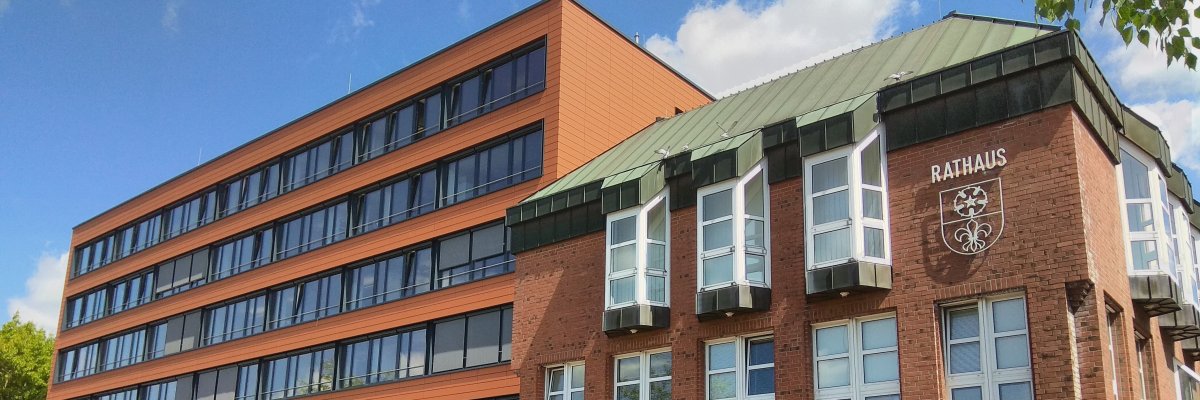

City administration building of the Stadtkevelaer

Latest news

Deutsche Glasfaser Provides Information on Free Connection Options

Since July 14, 2026, Deutsche Glasfaser has been active in the Kevelaer Nord area to inform households about the option of a free fiber-optic connection. This so-called follow-up marketing campaign is aimed at buildings that have not yet ordered a fiber-optic connection. The sales period runs through August 31, 2026.
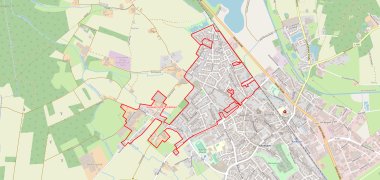
As part of this campaign, the affected households will first be contacted by mail. In addition, Deutsche Glasfaser employees will be out in the field offering no-obligation consultations. The employees will be wearing company uniforms bearing the company logo and can verify their identity at any time by presenting an employee ID card. This ID contains a passport photo, the employee’s name, and an identification number. If necessary, the authenticity of the ID can be verified by calling the Deutsche Glasfaser service hotline at 02861 890600.

According to Deutsche Glasfaser, the post-rollout program offers the opportunity to have a fiber-optic connection installed free of charge during the current expansion phase. The goal is to connect additional households to the high-performance fiber-optic network and to further expand the digital infrastructure in Kevelaer.

Residents who have questions about the service or the expansion area can contact Deutsche Glasfaser directly (Phone: 02861 983 4291) or take advantage of the local consultation services.

Info Point

Deutsche Glasfaser employees will be available at Peter-Plümpe-Platz with their service van on the following dates to provide information:

  • July 28, 2026, from 8:00 a.m. to 4:00 p.m.
  • August 4, 2026, from 8:00 a.m. to 4:00 p.m.
  • August 11, 2026, from 8:00 a.m. to 4:00 p.m.
No employees found.

Help with accessibility

  • General

    We endeavor to make our websites accessible. You can find details on this in our accessibility statement. You can send us suggestions for improvement via our feedback form Report accessibility.

  • Font size

    To adjust the font size, please use the following key combinations:

    Larger

    ⌘command
    +

    Smaller

    ⌘command

    Larger

    Ctrl
    +

    Smaller

    Ctrl
  • Keyboard navigation

    Use TAB and SHIFT + TAB to navigate through next/previous links, form elements and buttons.

    Use ENTER to open links and interact with elements.

  • Contrast mode

    Press the following key combination to reduce or increase the contrast:

    Enlarge

    ⌃control
    ⌥option
    ⌘command
    .

    Decrease

    ⌃control
    ⌥option
    ⌘command
    ,
    Note: The shortcuts must be activated in the system settings of the operating system.

    Press the left ALT key + left SHIFT key + PRINT to quickly switch the high contrast mode on or off.

  • Invert colors

    Press the following key combination to switch the color inversion on and off:

    ⌃control
    ⌥option
    ⌘command
    8
    Note: The shortcuts must be activated in the system settings of the operating system.

    First activate the screen magnifier and then switch the color inversion on and off with the following key combinations:

    1. screen magnifier

    +

    2. invert colors

    Ctrl
    Old
    I
  • Screen magnifier

    Press the following key combinations to use the screen magnifier:

    Switch on/off

    ⌥option
    ⌘command
    8

    Enlarge view

    ⌥option
    ⌘command
    =

    Reduce view

    ⌥option
    ⌘command
    Note: The shortcuts must be activated in the system settings of the operating system.

    Switch on / Enlarge view

    +

    Reduce view