

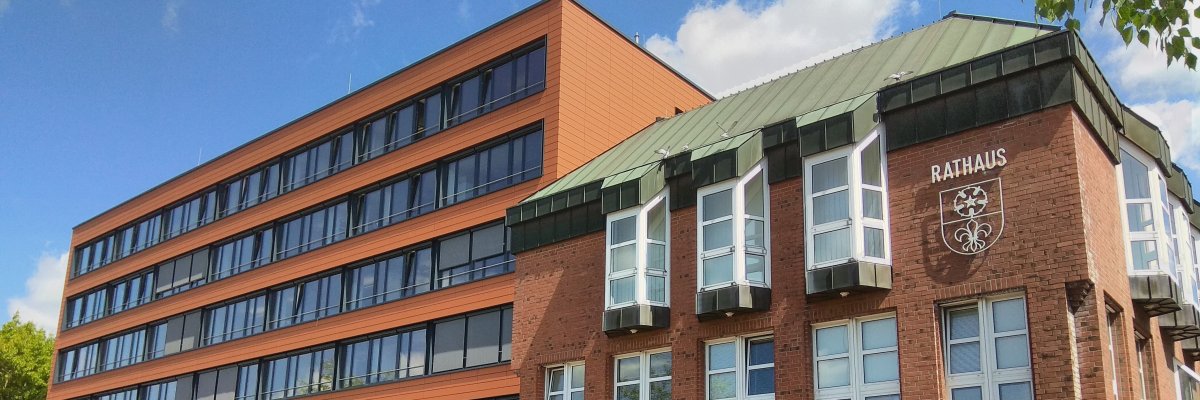
City administration building of the Stadtkevelaer
> Translation notice: This page has been automatically translated with the support of DeepL. Differences from the original German text may occur. Only the German version is legally binding.

URBAN PLANNING

We'd love to hear your thoughts!

The pilgrimage town of Kevelaer is currently updating its 2015 retail plan. Since the previous plan was drafted, the broader context of the retail sector has changed significantly. Digitalization and online retail, demographic change, and shifting shopping and consumption habits are presenting new challenges for downtown areas and retail locations. The update is therefore intended to adapt the retail concept to current and future requirements.

The goal of the new retail concept is to specifically strengthen Kevelaer’s downtown area, ensure local retail supply in the long term, and sustainably guide retail development throughout the city. The pilgrimage town of Kevelaer has commissioned CIMA Beratung + Management GmbH of Cologne to develop the concept. As a basis for the new concept, CIMA recently conducted a comprehensive survey of retail businesses throughout the city.

In order to incorporate the shopping habits and opinions of the residents of the pilgrimage town of Kevelaer, an online household survey will begin on September 28, 2026. Among other things, this survey aims to determine where residents purchase various types of goods in Kevelaer and the surrounding area, how they rate relevant factors contributing to the area’s appeal, and where they see room for improvement.

The survey is available on the city’s website at www.kevelaer.de and directly at www.kevelaer-einzelhandel.mitmachen.app. You can participate through October 31, 2026.

The results of the survey will be evaluated in conjunction with data from the retail survey and other expert analyses. They thus provide an important basis for recommendations and measures regarding the future development of the retail sector in Kevelaer.

The development of the retail plan is expected to be completed in the first quarter of 2027. Before the draft plan is discussed by the political bodies, another round of public participation is planned, and we will provide information about it in a timely manner.

Your opinion matters—help shape the future of retail in Kevelaer!

Contact:

www.cima.de
volz@cima.de
boeckenholt@cima.de

No employees found.

Help with accessibility

  • General

    We endeavor to make our websites accessible. You can find details on this in our accessibility statement. You can send us suggestions for improvement via our feedback form Report accessibility.

  • Font size

    To adjust the font size, please use the following key combinations:

    Larger

    ⌘command
    +

    Smaller

    ⌘command
    –

    Larger

    Ctrl
    +

    Smaller

    Ctrl
    –
  • Keyboard navigation

    Use TAB and SHIFT + TAB to navigate through next/previous links, form elements and buttons.

    Use ENTER to open links and interact with elements.

  • Contrast mode

    Press the following key combination to reduce or increase the contrast:

    Enlarge

    ⌃control
    ⌥option
    ⌘command
    .

    Decrease

    ⌃control
    ⌥option
    ⌘command
    ,
    Note: The shortcuts must be activated in the system settings of the operating system.

    Press the left ALT key + left SHIFT key + PRINT to quickly switch the high contrast mode on or off.

  • Invert colors

    Press the following key combination to switch the color inversion on and off:

    ⌃control
    ⌥option
    ⌘command
    8
    Note: The shortcuts must be activated in the system settings of the operating system.

    First activate the screen magnifier and then switch the color inversion on and off with the following key combinations:

    1. screen magnifier

    +

    2. invert colors

    Ctrl
    Old
    I
  • Screen magnifier

    Press the following key combinations to use the screen magnifier:

    Switch on/off

    ⌥option
    ⌘command
    8

    Enlarge view

    ⌥option
    ⌘command
    =

    Reduce view

    ⌥option
    ⌘command
    –
    Note: The shortcuts must be activated in the system settings of the operating system.

    Switch on / Enlarge view

    +

    Reduce view

    –