


City administration building of the Stadtkevelaer

MOBILITY & ENVIRONMENTAL PROTECTION

On a bike for climate protection

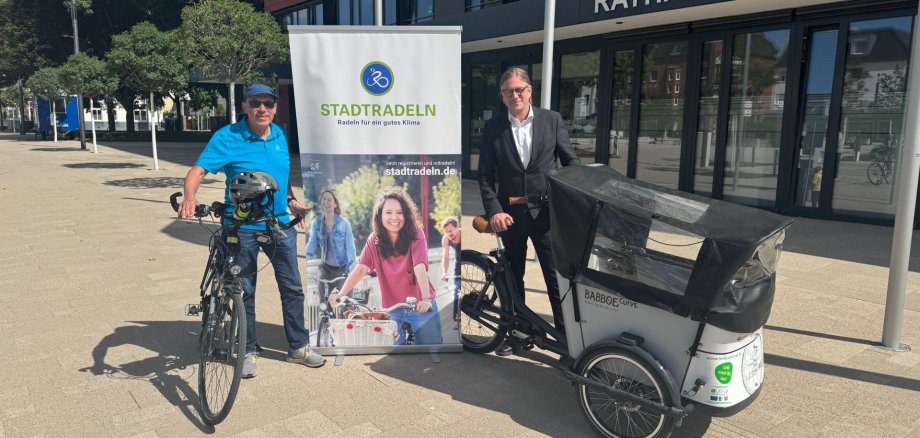
From Monday, May 25, 2026, the CITY CYCLING campaign will start again in the Kleve district. All 16 municipalities are taking part and Kevelaer will also be at the start! This year's motto: "Reach your destination on two wheels - climate protection in the Kleve district". For three weeks, the aim is to cover as many kilometers as possible by bike. Every distance counts, whether it's to work, school or the supermarket.

Last year, 487 cyclists covered a total of 101,000 kilometers in 10,600 trips for the pilgrimage town of Kevelaer, thus avoiding 17 tons of CO2. Will we break our own record in 2026 and cover even more kilometers together?

Who can take part?

Anyone who lives, works, goes to school or belongs to a Kevelaer club can take part in CITY CYCLING for Kevelaer. The kilometers do not have to be cycled locally. Kilometers that are cycled on vacation or abroad, for example, also count towards the score.

To take part, you can now register at the following link www.stadtradeln.de/kevelaer.

Start a new team or join an existing one! If you can't or don't want to register online, you can pick up the documents for paper registration at the town hall from mobility manager Heinz-Theo Angenvoort.

How are the kilometers counted?

After registration and with the start of CITY CYCLING in Kevelaer, you can enter and edit the kilometers you have cycled on the CITY CYCLING website or in the CITY CYCLING app. A print template for analog submission will be provided on the website before the start of the campaign. Alternatively, the documents can be collected from the town hall.

School cycling - take part now!

The state-wide school cycling event in NRW is once again taking place as part of the STADTRADELN. Pupils, teachers and, of course, parents can take part. When registering, simply check the box for "school cycling". More information: www.stadtradeln.de/schulradeln-nrw.

Have fun cycling!

No employees found.

Help with accessibility

  • General

    We endeavor to make our websites accessible. You can find details on this in our accessibility statement. You can send us suggestions for improvement via our feedback form Report accessibility.

  • Font size

    To adjust the font size, please use the following key combinations:

    Larger

    ⌘command
    +

    Smaller

    ⌘command

    Larger

    Ctrl
    +

    Smaller

    Ctrl
  • Keyboard navigation

    Use TAB and SHIFT + TAB to navigate through next/previous links, form elements and buttons.

    Use ENTER to open links and interact with elements.

  • Contrast mode

    Press the following key combination to reduce or increase the contrast:

    Enlarge

    ⌃control
    ⌥option
    ⌘command
    .

    Decrease

    ⌃control
    ⌥option
    ⌘command
    ,
    Note: The shortcuts must be activated in the system settings of the operating system.

    Press the left ALT key + left SHIFT key + PRINT to quickly switch the high contrast mode on or off.

  • Invert colors

    Press the following key combination to switch the color inversion on and off:

    ⌃control
    ⌥option
    ⌘command
    8
    Note: The shortcuts must be activated in the system settings of the operating system.

    First activate the screen magnifier and then switch the color inversion on and off with the following key combinations:

    1. screen magnifier

    +

    2. invert colors

    Ctrl
    Old
    I
  • Screen magnifier

    Press the following key combinations to use the screen magnifier:

    Switch on/off

    ⌥option
    ⌘command
    8

    Enlarge view

    ⌥option
    ⌘command
    =

    Reduce view

    ⌥option
    ⌘command
    Note: The shortcuts must be activated in the system settings of the operating system.

    Switch on / Enlarge view

    +

    Reduce view