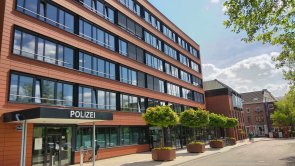
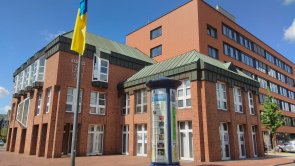
City administration building of the Stadtkevelaer

Administration

Administration

Even if we often simply talk about the "town hall" in the pilgrimage town of Kevelaer, there are several other administrative buildings in Kevelaer, such as the old town hall, the administration building on Hoogeweg and the town archive. A total of around 360 people work in the administrative buildings and at other locations such as the depot, the kindergarten, the indoor and outdoor swimming pools, the schools, the brine garden, the Kompass youth center, the lunch club, the concert and stage house, the public meeting place and the Kevelaer public utility company.

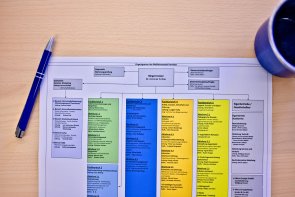
All of this is part of the Kevelaer municipal administration. We therefore offer numerous jobs and apprenticeships in various professional fields. Our employees offer you a wide range of services. The tasks of the Kevelaer municipal administration cover many areas. If you would like to gain an insight into the responsibilities and areas of activity of our administrative units, take a look at our administrative structure. The fields of activity of the specialist areas and departments are presented here. The mayor is the head of the city administration.
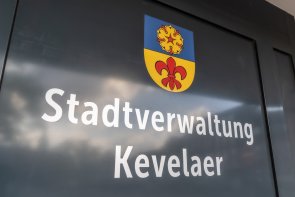
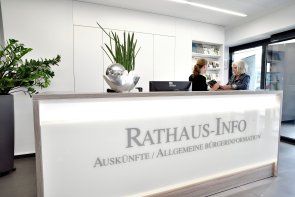
Layout 1
Layout 1

Help with accessibility

  • General

    We endeavor to make our websites accessible. You can find details on this in our accessibility statement. You can send us suggestions for improvement via our feedback form Report accessibility.

  • Font size

    To adjust the font size, please use the following key combinations:

    Larger

    ⌘command
    +

    Smaller

    ⌘command

    Larger

    Ctrl
    +

    Smaller

    Ctrl
  • Keyboard navigation

    Use TAB and SHIFT + TAB to navigate through next/previous links, form elements and buttons.

    Use ENTER to open links and interact with elements.

  • Contrast mode

    Press the following key combination to reduce or increase the contrast:

    Enlarge

    ⌃control
    ⌥option
    ⌘command
    .

    Decrease

    ⌃control
    ⌥option
    ⌘command
    ,
    Note: The shortcuts must be activated in the system settings of the operating system.

    Press the left ALT key + left SHIFT key + PRINT to quickly switch the high contrast mode on or off.

  • Invert colors

    Press the following key combination to switch the color inversion on and off:

    ⌃control
    ⌥option
    ⌘command
    8
    Note: The shortcuts must be activated in the system settings of the operating system.

    First activate the screen magnifier and then switch the color inversion on and off with the following key combinations:

    1. screen magnifier

    +

    2. invert colors

    Ctrl
    Old
    I
  • Screen magnifier

    Press the following key combinations to use the screen magnifier:

    Switch on/off

    ⌥option
    ⌘command
    8

    Enlarge view

    ⌥option
    ⌘command
    =

    Reduce view

    ⌥option
    ⌘command
    Note: The shortcuts must be activated in the system settings of the operating system.

    Switch on / Enlarge view

    +

    Reduce view