


City administration building of the Stadtkevelaer

Urban planning & climate protection

Presentation of municipal heat planning

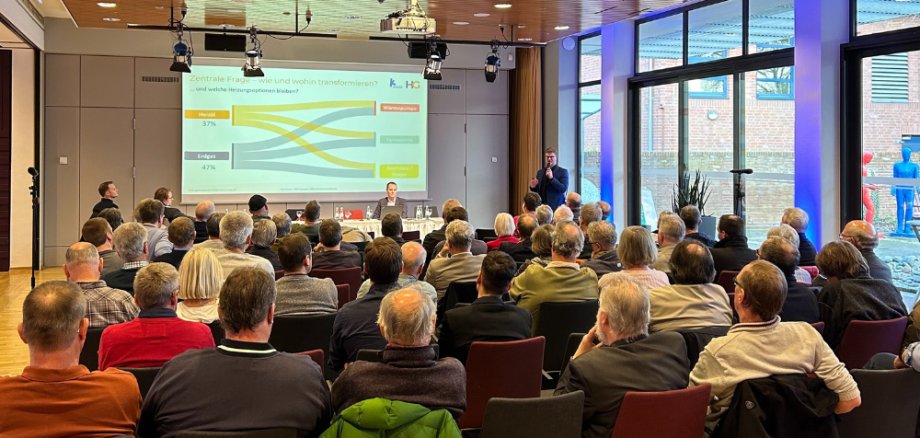
The project was presented by the commissioned HORIZONTE Group AG. Mr. Dybeck and Mr. Klein presented the legal basis of the KWP, the functioning of heating networks and alternative heating technologies. Data on energy use in Kevelaer was presented and the potential of renewable energies was discussed. The use of groundwater and brine springs for heat generation was also discussed. The approximately 60 attendees were actively involved in the dialog. The results of the presentation serve as the basis for a future strategy from which the implementation measures for further heat planning can be derived.

The public will be involved in the next steps at an early stage and informed about the progress of the heat planning. The project is funded and supported by the Federal Ministry for Economic Affairs and Climate Protection. The funding period runs from 01.10.2023 to probably 30.09.2024.

No employees found.

Help with accessibility

  • General

    We endeavor to make our websites accessible. You can find details on this in our accessibility statement. You can send us suggestions for improvement via our feedback form Report accessibility.

  • Font size

    To adjust the font size, please use the following key combinations:

    Larger

    ⌘command
    +

    Smaller

    ⌘command

    Larger

    Ctrl
    +

    Smaller

    Ctrl
  • Keyboard navigation

    Use TAB and SHIFT + TAB to navigate through next/previous links, form elements and buttons.

    Use ENTER to open links and interact with elements.

  • Contrast mode

    Press the following key combination to reduce or increase the contrast:

    Enlarge

    ⌃control
    ⌥option
    ⌘command
    .

    Decrease

    ⌃control
    ⌥option
    ⌘command
    ,
    Note: The shortcuts must be activated in the system settings of the operating system.

    Press the left ALT key + left SHIFT key + PRINT to quickly switch the high contrast mode on or off.

  • Invert colors

    Press the following key combination to switch the color inversion on and off:

    ⌃control
    ⌥option
    ⌘command
    8
    Note: The shortcuts must be activated in the system settings of the operating system.

    First activate the screen magnifier and then switch the color inversion on and off with the following key combinations:

    1. screen magnifier

    +

    2. invert colors

    Ctrl
    Old
    I
  • Screen magnifier

    Press the following key combinations to use the screen magnifier:

    Switch on/off

    ⌥option
    ⌘command
    8

    Enlarge view

    ⌥option
    ⌘command
    =

    Reduce view

    ⌥option
    ⌘command
    Note: The shortcuts must be activated in the system settings of the operating system.

    Switch on / Enlarge view

    +

    Reduce view