


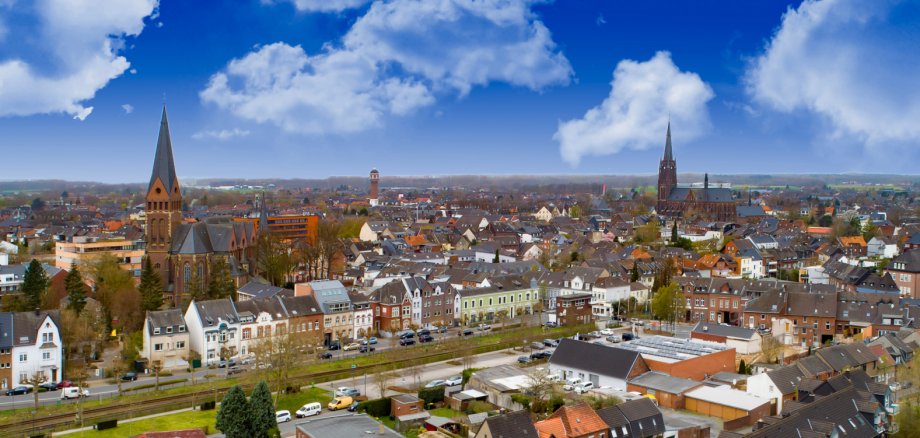
City administration building of the Stadtkevelaer

Kleve district

Geological Service carries out work in Kevelaer and elsewhere

Employees of the Geological Survey of North Rhine-Westphalia (GD NRW) will be working in the district of Kleve from March until the end of the year. Soil surveys will be carried out in the municipalities of Rees, Geldern and the pilgrimage town of Kevelaer. The regional surveys are used for a general inventory of the soil and subsoil. The results are published in official maps. They are important documents for many tasks, for example in agriculture and forestry (soil use, soil improvement, erosion control, selection of timber species), in construction, in planning and land management (regional planning, urban land-use planning, nature conservation), in agricultural engineering and in water management (areas in need of drainage and irrigation) as well as for scientific research and natural history teaching.

According to the GD NRW, small hand drillings are necessary as part of the mapping work, as well as excavations in some places to take soil samples. The representatives of the GD NRW will take agricultural interests and the current use of the land into consideration as far as possible.

The GD NRW asks you to support the employees on site in their tasks.

Background: The Geological Survey of North Rhine-Westphalia is the state's geoscientific institution. Its activities cover a wide range of geoscientific topics such as geo-risks, geothermal energy, raw materials, groundwater, subsoil, landfills, geotopes and soils. To this end, the GD NRW researches the subsurface and soils, collects geodata and makes it freely available in online services and data portals.

Information on the work on site can be obtained from the staff of the GD NRW.

  • For Geldern / pilgrimage town of Kevelaer: Daniel Kaiser, phone: 02151 897-551
  • For Rees: Cornelia Verforth, Phone: 02151 897-586

Source: District of Kleve

Help with accessibility

  • General

    We endeavor to make our websites accessible. You can find details on this in our accessibility statement. You can send us suggestions for improvement via our feedback form Report accessibility.

  • Font size

    To adjust the font size, please use the following key combinations:

    Larger

    ⌘command
    +

    Smaller

    ⌘command

    Larger

    Ctrl
    +

    Smaller

    Ctrl
  • Keyboard navigation

    Use TAB and SHIFT + TAB to navigate through next/previous links, form elements and buttons.

    Use ENTER to open links and interact with elements.

  • Contrast mode

    Press the following key combination to reduce or increase the contrast:

    Enlarge

    ⌃control
    ⌥option
    ⌘command
    .

    Decrease

    ⌃control
    ⌥option
    ⌘command
    ,
    Note: The shortcuts must be activated in the system settings of the operating system.

    Press the left ALT key + left SHIFT key + PRINT to quickly switch the high contrast mode on or off.

  • Invert colors

    Press the following key combination to switch the color inversion on and off:

    ⌃control
    ⌥option
    ⌘command
    8
    Note: The shortcuts must be activated in the system settings of the operating system.

    First activate the screen magnifier and then switch the color inversion on and off with the following key combinations:

    1. screen magnifier

    +

    2. invert colors

    Ctrl
    Old
    I
  • Screen magnifier

    Press the following key combinations to use the screen magnifier:

    Switch on/off

    ⌥option
    ⌘command
    8

    Enlarge view

    ⌥option
    ⌘command
    =

    Reduce view

    ⌥option
    ⌘command
    Note: The shortcuts must be activated in the system settings of the operating system.

    Switch on / Enlarge view

    +

    Reduce view