


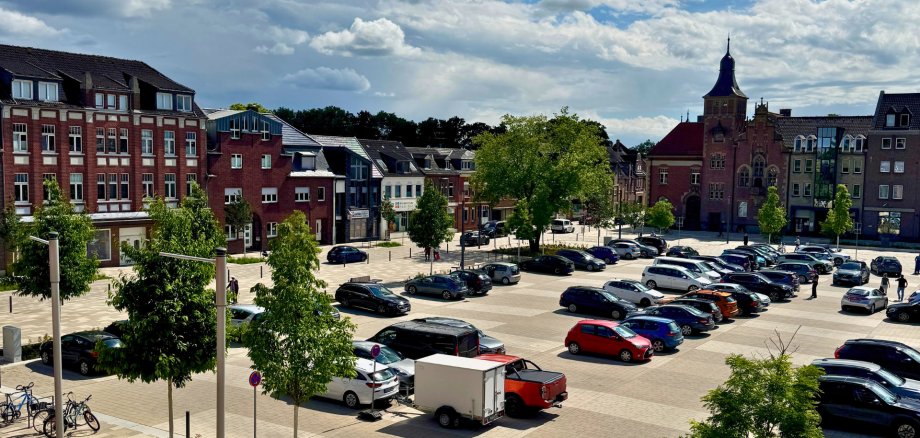
City administration building of the Stadtkevelaer

Latest news

Maltese Pilgrimage on June 13, 2026

The Maltese Pilgrimage will take place on Saturday, June 13, 2026. As a result, the following traffic and parking restrictions will be in effect:

  • The "An der Basilika" parking lot will be closed all day Saturday until 6:30 p.m.
  • Due to the large number of buses arriving, the Peter-Plümpe-Platz parking lot will be closed to regular parking on Saturday from 8:00 a.m. to 11:00 a.m.
  • From approximately 3:30 p.m. to 6:00 p.m., Marktstraße will be closed all the way to Roermonder Platz/Gelderner Straße, as will Bahnstraße.

The buses will line up along Marktstraße to facilitate a coordinated boarding process for the pilgrims. The road closures will not affect regular bus service or emergency vehicles (fire department, ambulance service, police).

We ask residents and visitors to plan their routes accordingly, follow the on-site signage and instructions, and take the traffic advisories described into account. Thank you for your understanding!

No employees found.

Help with accessibility

  • General

    We endeavor to make our websites accessible. You can find details on this in our accessibility statement. You can send us suggestions for improvement via our feedback form Report accessibility.

  • Font size

    To adjust the font size, please use the following key combinations:

    Larger

    ⌘command
    +

    Smaller

    ⌘command

    Larger

    Ctrl
    +

    Smaller

    Ctrl
  • Keyboard navigation

    Use TAB and SHIFT + TAB to navigate through next/previous links, form elements and buttons.

    Use ENTER to open links and interact with elements.

  • Contrast mode

    Press the following key combination to reduce or increase the contrast:

    Enlarge

    ⌃control
    ⌥option
    ⌘command
    .

    Decrease

    ⌃control
    ⌥option
    ⌘command
    ,
    Note: The shortcuts must be activated in the system settings of the operating system.

    Press the left ALT key + left SHIFT key + PRINT to quickly switch the high contrast mode on or off.

  • Invert colors

    Press the following key combination to switch the color inversion on and off:

    ⌃control
    ⌥option
    ⌘command
    8
    Note: The shortcuts must be activated in the system settings of the operating system.

    First activate the screen magnifier and then switch the color inversion on and off with the following key combinations:

    1. screen magnifier

    +

    2. invert colors

    Ctrl
    Old
    I
  • Screen magnifier

    Press the following key combinations to use the screen magnifier:

    Switch on/off

    ⌥option
    ⌘command
    8

    Enlarge view

    ⌥option
    ⌘command
    =

    Reduce view

    ⌥option
    ⌘command
    Note: The shortcuts must be activated in the system settings of the operating system.

    Switch on / Enlarge view

    +

    Reduce view