


City administration building of the Stadtkevelaer

Environmental protection

100 fruit and deciduous trees for Kevelaer gardens

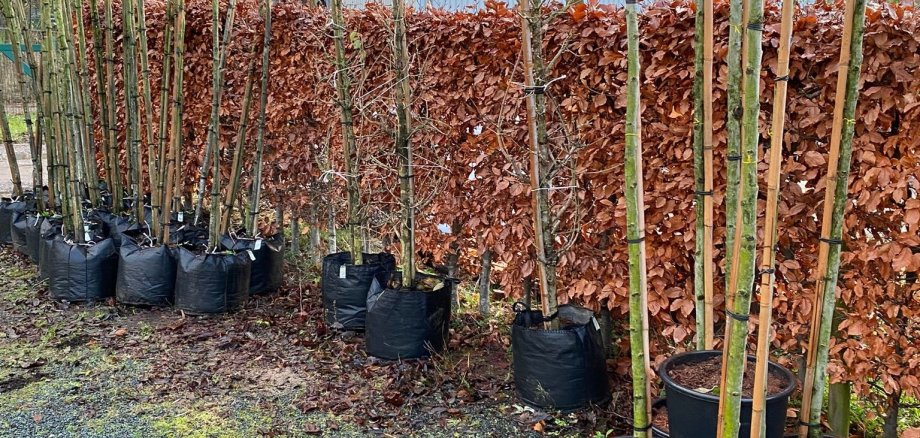
In the fall, the tree planting campaign of the pilgrimage town of Kevelaer entered its 3rd round. Private individuals were able to choose a free deciduous or fruit tree from the town. Last Saturday, the trees ordered could be collected from the depot in Kevelaer. A total of 100 free trees were handed out to citizens by the pilgrimage city.

The tree planting campaign is a concrete opportunity to adapt to climate change. "With the support of the pilgrimage town of Kevelaer, private individuals can actively participate in joint climate protection," says Sébastien Belleil, environmental protection officer at the pilgrimage town of Kevelaer. Because fruit and deciduous trees are good for the climate. They produce oxygen, store carbon and, above all, in a sun-drenched garden, native trees can provide cool shady spots.

It was the last tree planting campaign for the time being. There are no plans to promote free trees next year.

No employees found.

Help with accessibility

  • General

    We endeavor to make our websites accessible. You can find details on this in our accessibility statement. You can send us suggestions for improvement via our feedback form Report accessibility.

  • Font size

    To adjust the font size, please use the following key combinations:

    Larger

    ⌘command
    +

    Smaller

    ⌘command

    Larger

    Ctrl
    +

    Smaller

    Ctrl
  • Keyboard navigation

    Use TAB and SHIFT + TAB to navigate through next/previous links, form elements and buttons.

    Use ENTER to open links and interact with elements.

  • Contrast mode

    Press the following key combination to reduce or increase the contrast:

    Enlarge

    ⌃control
    ⌥option
    ⌘command
    .

    Decrease

    ⌃control
    ⌥option
    ⌘command
    ,
    Note: The shortcuts must be activated in the system settings of the operating system.

    Press the left ALT key + left SHIFT key + PRINT to quickly switch the high contrast mode on or off.

  • Invert colors

    Press the following key combination to switch the color inversion on and off:

    ⌃control
    ⌥option
    ⌘command
    8
    Note: The shortcuts must be activated in the system settings of the operating system.

    First activate the screen magnifier and then switch the color inversion on and off with the following key combinations:

    1. screen magnifier

    +

    2. invert colors

    Ctrl
    Old
    I
  • Screen magnifier

    Press the following key combinations to use the screen magnifier:

    Switch on/off

    ⌥option
    ⌘command
    8

    Enlarge view

    ⌥option
    ⌘command
    =

    Reduce view

    ⌥option
    ⌘command
    Note: The shortcuts must be activated in the system settings of the operating system.

    Switch on / Enlarge view

    +

    Reduce view