


City administration building of the Stadtkevelaer

Personnel report

Service anniversaries at the pilgrimage town of Kevelaer

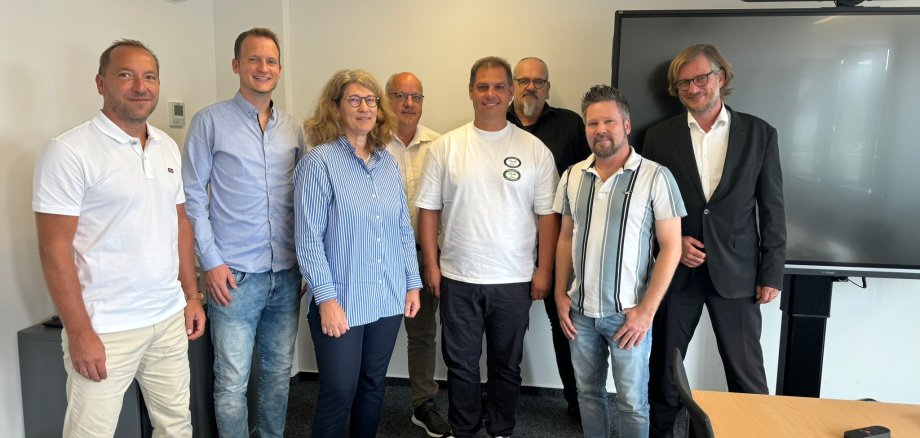
During a small ceremony, Mayor Dr. Dominik Pichler honored long-serving employees of the pilgrimage town of Kevelaer. Together, the three jubilarians have an impressive 75 years of service:

Nina Neunheuser (lawyer in the "Central Services" department and data protection officer for the pilgrimage town of Kevelaer), Thorsten Stern (deputy head of the "Job Center Employment Services" department) and Stefan Ophey (road maintenance worker at the depot) celebrated their 25th anniversary of service.

In his speech, Mayor Dr. Dominik Pichler thanked the honorees both personally and on behalf of the city for their many years of service and expressed his appreciation. Head of Human Resources Werner Barz, Chairman of the Staff Council Stefan Reudenbach and the respective superiors of the employees also offered their congratulations on behalf of the entire workforce and the Staff Council.

No employees found.

Help with accessibility

  • General

    We endeavor to make our websites accessible. You can find details on this in our accessibility statement. You can send us suggestions for improvement via our feedback form Report accessibility.

  • Font size

    To adjust the font size, please use the following key combinations:

    Larger

    ⌘command
    +

    Smaller

    ⌘command

    Larger

    Ctrl
    +

    Smaller

    Ctrl
  • Keyboard navigation

    Use TAB and SHIFT + TAB to navigate through next/previous links, form elements and buttons.

    Use ENTER to open links and interact with elements.

  • Contrast mode

    Press the following key combination to reduce or increase the contrast:

    Enlarge

    ⌃control
    ⌥option
    ⌘command
    .

    Decrease

    ⌃control
    ⌥option
    ⌘command
    ,
    Note: The shortcuts must be activated in the system settings of the operating system.

    Press the left ALT key + left SHIFT key + PRINT to quickly switch the high contrast mode on or off.

  • Invert colors

    Press the following key combination to switch the color inversion on and off:

    ⌃control
    ⌥option
    ⌘command
    8
    Note: The shortcuts must be activated in the system settings of the operating system.

    First activate the screen magnifier and then switch the color inversion on and off with the following key combinations:

    1. screen magnifier

    +

    2. invert colors

    Ctrl
    Old
    I
  • Screen magnifier

    Press the following key combinations to use the screen magnifier:

    Switch on/off

    ⌥option
    ⌘command
    8

    Enlarge view

    ⌥option
    ⌘command
    =

    Reduce view

    ⌥option
    ⌘command
    Note: The shortcuts must be activated in the system settings of the operating system.

    Switch on / Enlarge view

    +

    Reduce view