


Your apprenticeship with the pilgrimage town of Kevelaer
Are you interested in an exciting and varied apprenticeship?
We are regularly on the lookout for motivated junior employees who want to learn and make a difference. Our focus is on ensuring that you can bring your strengths to your work and master your training in the best possible way.
It is important to us that you feel comfortable in your working environment and enjoy being part of our team. Our youth and trainee representatives, among others, would like to contribute to this with joint excursions and events, making it easier for you to start your career. We also regularly organize exciting training projects that strengthen cooperation between all internal trainees.
This page provides you with a compact overview of the wide range of apprenticeships at the pilgrimage town of Kevelaer.
Every year in late summer / fall, we publish job advertisements for vacant apprenticeships. You can find these under job advertisements. Sign up for our newsletter so that you are always up to date!
Information on our apprenticeships at a glance:

Administrator (m/f/d)
Education

Bachelor of Laws (m/f/d)
dual study program

Bachelor of Arts (m/f/d)
dual study program

IT specialist (m/f/d)
Education

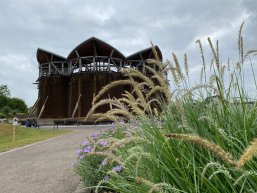

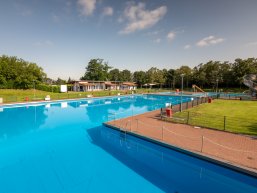
Specialist (m/f/d) for swimming pool operations
Education

Architectural draftsman (m/f/d), specializing in architecture
Education

Draftsman (m/f/d), specializing in civil engineering, road construction and landscaping
Education

Industrial clerk (m/f/d)
Education

Road Maintenance Worker (m/f/d)
Education

Educator (m/f/d)
Practice-integrated training

Recognition year for prospective educators (m/f/d)
Internship

Internship for students (m/f/d) of the vocational college for health and social services
FOS internship