

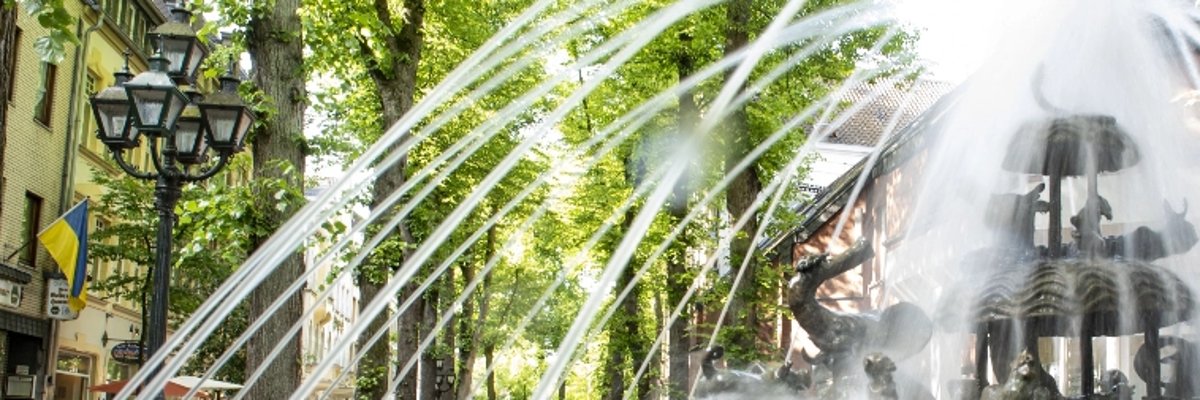
Noah's Ark fountain in action

Front garden competition


No competition in 2026

In previous years, the town of Kevelaer launched this competition to encourage a rethink towards insect-friendly and green front gardens, as well as to beautify the townscape and improve the quality of life. It is not expected to take place this year.

Importance of natural gardens compared to gravel gardens

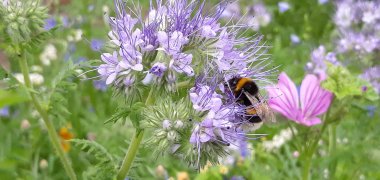
Green front gardens are not only the calling card of every house, but also an important element in environmental design. In contrast to gravel front gardens, they have a positive influence on the temperature and humidity in the immediate living environment. Planted areas store rainwater, which then evaporates through the plants. This leads to a noticeable improvement in air quality and pleasant temperatures in the summer months. They also provide habitats for butterflies, bumblebees and other beneficial insects, thus actively contributing to the preservation of biodiversity.

Many people will be amazed at how low-maintenance a near-natural garden can be. Conversely, "gravel gardens" are not necessarily low-maintenance, as plant material accumulates over the years with the wind and seeds begin to germinate. Then you get annoyed by the "weeds". In a heavily overgrown garden, on the other hand, the "weeds" hardly matter! Skilful planting helps to make it difficult for "weeds" and push them back. The choice of plants depends on the location - a plant that is native to the area and suits the existing soil and climate will naturally have an easier time than an exotic plant.

Help with accessibility

  • General

    We endeavor to make our websites accessible. You can find details on this in our accessibility statement. You can send us suggestions for improvement via our feedback form Report accessibility.

  • Font size

    To adjust the font size, please use the following key combinations:

    Larger

    ⌘command
    +

    Smaller

    ⌘command

    Larger

    Ctrl
    +

    Smaller

    Ctrl
  • Keyboard navigation

    Use TAB and SHIFT + TAB to navigate through next/previous links, form elements and buttons.

    Use ENTER to open links and interact with elements.

  • Contrast mode

    Press the following key combination to reduce or increase the contrast:

    Enlarge

    ⌃control
    ⌥option
    ⌘command
    .

    Decrease

    ⌃control
    ⌥option
    ⌘command
    ,
    Note: The shortcuts must be activated in the system settings of the operating system.

    Press the left ALT key + left SHIFT key + PRINT to quickly switch the high contrast mode on or off.

  • Invert colors

    Press the following key combination to switch the color inversion on and off:

    ⌃control
    ⌥option
    ⌘command
    8
    Note: The shortcuts must be activated in the system settings of the operating system.

    First activate the screen magnifier and then switch the color inversion on and off with the following key combinations:

    1. screen magnifier

    +

    2. invert colors

    Ctrl
    Old
    I
  • Screen magnifier

    Press the following key combinations to use the screen magnifier:

    Switch on/off

    ⌥option
    ⌘command
    8

    Enlarge view

    ⌥option
    ⌘command
    =

    Reduce view

    ⌥option
    ⌘command
    Note: The shortcuts must be activated in the system settings of the operating system.

    Switch on / Enlarge view

    +

    Reduce view