

> Translation notice: This page has been automatically translated with the support of DeepL. Differences from the original German text may occur. Only the German version is legally binding.

Tree Pit Sponsorships

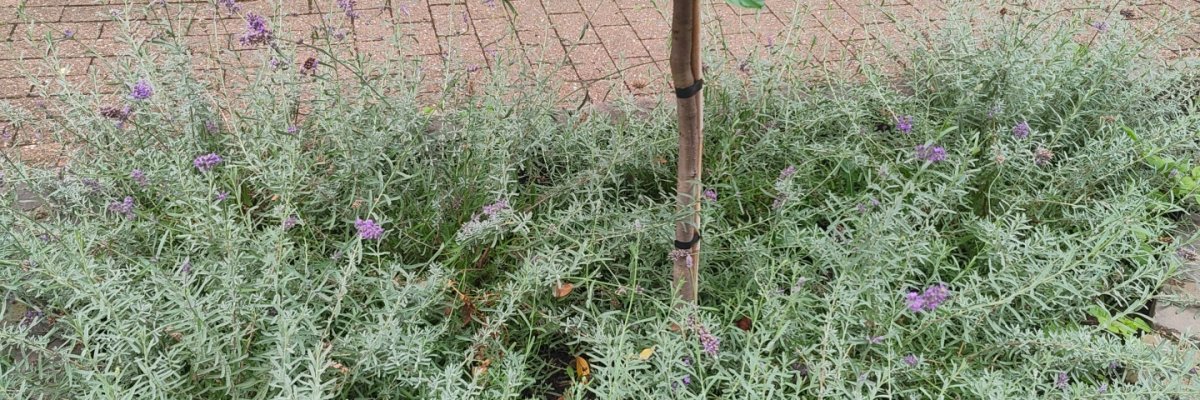
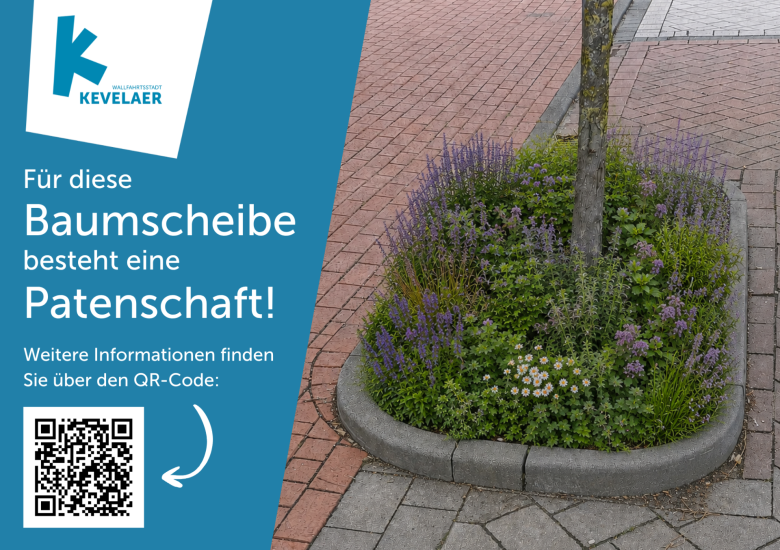
Would you like to help create a greener and more vibrant cityscape? By sponsoring a tree pit, you can take full responsibility for planting and maintaining the area around a city tree. The pilgrimage town of Kevelaer offers tree pit sponsorships for individual city trees.

Whether perennials, grasses, bulbs, or low-growing shrubs, there are many design options to choose from. Care is taken to consider the needs of the tree and its roots, as well as ecological and aesthetic factors. The pilgrimage town of Kevelaer will be happy to advise you on selecting suitable plants. As a tree pit sponsor, you can also support the city’s trees by watering the tree pit—especially during prolonged periods of heat and drought—gently loosening the soil, and removing debris.

Would you like to sponsor a tree pit and help bring more greenery to Kevelaer? Then fill out the tree pit sponsorship agreement from the download section and let us know which tree pit you’d like to sponsor. Then send the completed agreement by mail or email to the Pilgrimage City of Kevelaer. We’ll then check whether the desired tree pit is suitable for sponsorship.
Tree Pit Sponsorship

Would you like to get even more actively involved in promoting climate adaptation and a greener cityscape? In addition to tree-pit sponsorships, you can sponsor a flower bed through Stadtwerke or Technische Betriebe Kevelaer for a small fee. Together with your neighbors, you can tend to a flower bed on your street and actively help beautify the cityscape. At the same time, you’ll create valuable habitat for insects and make a small but important contribution to a climate-resilient urban environment. For more information, visit:www.stadtwerke-kevelaer.de/gruenanlagen

Help with accessibility

  • General

    We endeavor to make our websites accessible. You can find details on this in our accessibility statement. You can send us suggestions for improvement via our feedback form Report accessibility.

  • Font size

    To adjust the font size, please use the following key combinations:

    Larger

    ⌘command
    +

    Smaller

    ⌘command

    Larger

    Ctrl
    +

    Smaller

    Ctrl
  • Keyboard navigation

    Use TAB and SHIFT + TAB to navigate through next/previous links, form elements and buttons.

    Use ENTER to open links and interact with elements.

  • Contrast mode

    Press the following key combination to reduce or increase the contrast:

    Enlarge

    ⌃control
    ⌥option
    ⌘command
    .

    Decrease

    ⌃control
    ⌥option
    ⌘command
    ,
    Note: The shortcuts must be activated in the system settings of the operating system.

    Press the left ALT key + left SHIFT key + PRINT to quickly switch the high contrast mode on or off.

  • Invert colors

    Press the following key combination to switch the color inversion on and off:

    ⌃control
    ⌥option
    ⌘command
    8
    Note: The shortcuts must be activated in the system settings of the operating system.

    First activate the screen magnifier and then switch the color inversion on and off with the following key combinations:

    1. screen magnifier

    +

    2. invert colors

    Ctrl
    Old
    I
  • Screen magnifier

    Press the following key combinations to use the screen magnifier:

    Switch on/off

    ⌥option
    ⌘command
    8

    Enlarge view

    ⌥option
    ⌘command
    =

    Reduce view

    ⌥option
    ⌘command
    Note: The shortcuts must be activated in the system settings of the operating system.

    Switch on / Enlarge view

    +

    Reduce view