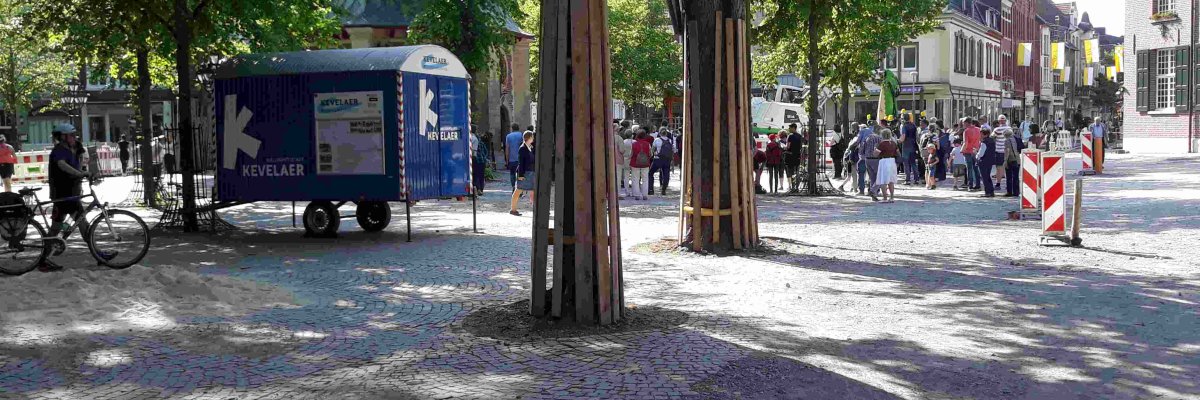
City center renewal 2016-2025

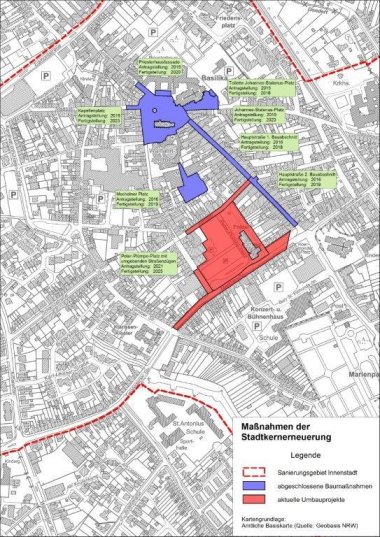
The city center of Kevelaer has been undergoing extensive redesign since 2016. The basis for the redesign measures is the integrated action plan for Kevelaer town center from 2015, which is a prerequisite for funding with urban development funds. Since the approval of the overall measure, concepts have been drawn up and conversion measures are gradually being planned and implemented. The projects that have already been completed include Hauptstraße and Mechelner Platz as well as Kapellenplatz and Johannes-Stalenus-Platz.

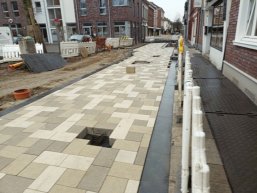
Peter-Plümpe-Platz and the surrounding streets have been undergoing renovation since October 2023. Private individuals can benefit from state funding via the courtyard and façade program and the disposal fund.

The conversion measures for Luxemburger Platz and the connection to the Solegarten, which were still planned in the action program, will no longer be implemented as part of the current funding program.


You can find more information on the town center renewal here:
Layout 1

Help with accessibility

  • General

    We endeavor to make our websites accessible. You can find details on this in our accessibility statement. You can send us suggestions for improvement via our feedback form Report accessibility.

  • Font size

    To adjust the font size, please use the following key combinations:

    Larger

    ⌘command
    +

    Smaller

    ⌘command

    Larger

    Ctrl
    +

    Smaller

    Ctrl
  • Keyboard navigation

    Use TAB and SHIFT + TAB to navigate through next/previous links, form elements and buttons.

    Use ENTER to open links and interact with elements.

  • Contrast mode

    Press the following key combination to reduce or increase the contrast:

    Enlarge

    ⌃control
    ⌥option
    ⌘command
    .

    Decrease

    ⌃control
    ⌥option
    ⌘command
    ,
    Note: The shortcuts must be activated in the system settings of the operating system.

    Press the left ALT key + left SHIFT key + PRINT to quickly switch the high contrast mode on or off.

  • Invert colors

    Press the following key combination to switch the color inversion on and off:

    ⌃control
    ⌥option
    ⌘command
    8
    Note: The shortcuts must be activated in the system settings of the operating system.

    First activate the screen magnifier and then switch the color inversion on and off with the following key combinations:

    1. screen magnifier

    +

    2. invert colors

    Ctrl
    Old
    I
  • Screen magnifier

    Press the following key combinations to use the screen magnifier:

    Switch on/off

    ⌥option
    ⌘command
    8

    Enlarge view

    ⌥option
    ⌘command
    =

    Reduce view

    ⌥option
    ⌘command
    Note: The shortcuts must be activated in the system settings of the operating system.

    Switch on / Enlarge view

    +

    Reduce view