


City administration building of the Stadtkevelaer

Meeting dates

Youth welfare committee on 27.05.2025

The Council forms committees in which the majority of political decisions are discussed in advance. In some matters, the committees can also make final decisions.

The Youth Welfare Committee of the pilgrimage town of Kevelaer advises on matters relating to youth welfare, draws up the youth welfare budget and deals with matters relating to child daycare facilities. It occupies a special position among the committees, as it is part of the Youth Welfare Office and its basic composition is prescribed by law.

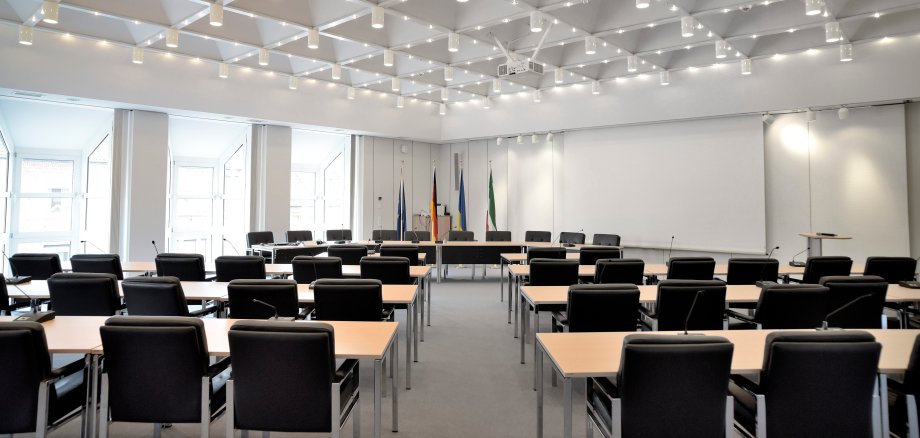
The meetings of the Youth Welfare Committee take place in the Council Chamber, Peter-Plümpe-Platz 12, 47623 Kevelaer, and are open to the public with a few exceptions. Members of the public are welcome to attend!

The composition of the Committee for Climate, Environment and Facility Management and the public meeting documents can be found in the Council information system.


No employees found.

Help with accessibility

  • General

    We endeavor to make our websites accessible. You can find details on this in our accessibility statement. You can send us suggestions for improvement via our feedback form Report accessibility.

  • Font size

    To adjust the font size, please use the following key combinations:

    Larger

    ⌘command
    +

    Smaller

    ⌘command

    Larger

    Ctrl
    +

    Smaller

    Ctrl
  • Keyboard navigation

    Use TAB and SHIFT + TAB to navigate through next/previous links, form elements and buttons.

    Use ENTER to open links and interact with elements.

  • Contrast mode

    Press the following key combination to reduce or increase the contrast:

    Enlarge

    ⌃control
    ⌥option
    ⌘command
    .

    Decrease

    ⌃control
    ⌥option
    ⌘command
    ,
    Note: The shortcuts must be activated in the system settings of the operating system.

    Press the left ALT key + left SHIFT key + PRINT to quickly switch the high contrast mode on or off.

  • Invert colors

    Press the following key combination to switch the color inversion on and off:

    ⌃control
    ⌥option
    ⌘command
    8
    Note: The shortcuts must be activated in the system settings of the operating system.

    First activate the screen magnifier and then switch the color inversion on and off with the following key combinations:

    1. screen magnifier

    +

    2. invert colors

    Ctrl
    Old
    I
  • Screen magnifier

    Press the following key combinations to use the screen magnifier:

    Switch on/off

    ⌥option
    ⌘command
    8

    Enlarge view

    ⌥option
    ⌘command
    =

    Reduce view

    ⌥option
    ⌘command
    Note: The shortcuts must be activated in the system settings of the operating system.

    Switch on / Enlarge view

    +

    Reduce view