


City administration building of the Stadtkevelaer

Waste disposal

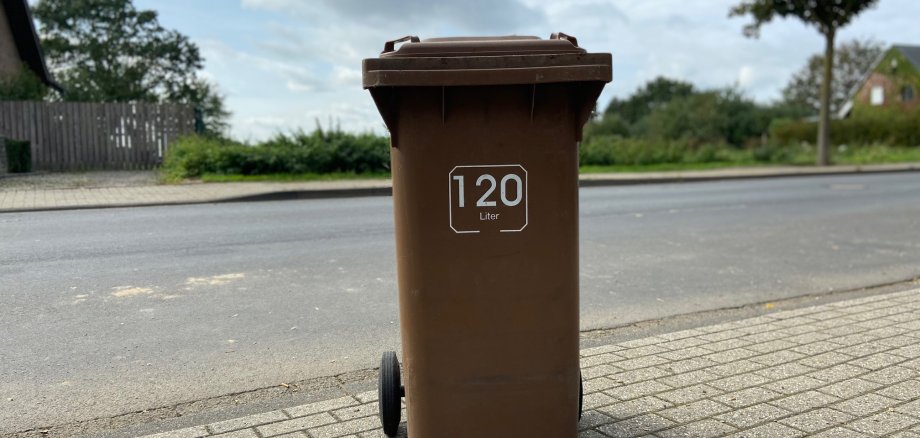
Organic waste garbage can in Kevelaer: weekly emptying in October and November

In the upcoming fall months of October and November, the organic waste garbage cans in Kevelaer will be emptied weekly. This enables environmentally friendly disposal of the numerous leaves and garden waste that accumulate after gardening at the beginning of fall.

What else belongs in the organic waste garbage can?

  • Tree and shrub pruning
  • Potting soil, flowers, plants (without pot!)
  • Leaves and grass clippings
  • Eggshells
  • Fruit and uncooked vegetable leftovers
  • Tea bags, coffee grounds, filter bags
  • Wild herbs

Do not put in the organic waste garbage can:

  • Ash residues (fireplace, cigarettes)
  • Meat and fish scraps
  • Charcoal
  • Plastic bags
  • Street sweepings
  • Tobacco residues
  • Animal carcasses, excrement, litter
  • Diapers

A tip for frosty days: place some newspaper between damp waste or branches to prevent the organic waste from freezing and to make it easier to empty the garbage cans. If everyone follows these tips and disposes of organic waste correctly, together we can reduce our environmental impact.

All collection dates can be found in the waste calendar of the pilgrimage town of Kevelaer. The waste calendar is also available for download:

No employees found.

Help with accessibility

  • General

    We endeavor to make our websites accessible. You can find details on this in our accessibility statement. You can send us suggestions for improvement via our feedback form Report accessibility.

  • Font size

    To adjust the font size, please use the following key combinations:

    Larger

    ⌘command
    +

    Smaller

    ⌘command

    Larger

    Ctrl
    +

    Smaller

    Ctrl
  • Keyboard navigation

    Use TAB and SHIFT + TAB to navigate through next/previous links, form elements and buttons.

    Use ENTER to open links and interact with elements.

  • Contrast mode

    Press the following key combination to reduce or increase the contrast:

    Enlarge

    ⌃control
    ⌥option
    ⌘command
    .

    Decrease

    ⌃control
    ⌥option
    ⌘command
    ,
    Note: The shortcuts must be activated in the system settings of the operating system.

    Press the left ALT key + left SHIFT key + PRINT to quickly switch the high contrast mode on or off.

  • Invert colors

    Press the following key combination to switch the color inversion on and off:

    ⌃control
    ⌥option
    ⌘command
    8
    Note: The shortcuts must be activated in the system settings of the operating system.

    First activate the screen magnifier and then switch the color inversion on and off with the following key combinations:

    1. screen magnifier

    +

    2. invert colors

    Ctrl
    Old
    I
  • Screen magnifier

    Press the following key combinations to use the screen magnifier:

    Switch on/off

    ⌥option
    ⌘command
    8

    Enlarge view

    ⌥option
    ⌘command
    =

    Reduce view

    ⌥option
    ⌘command
    Note: The shortcuts must be activated in the system settings of the operating system.

    Switch on / Enlarge view

    +

    Reduce view